The best music making software

Posted by Unknown | Posted in

Let me tell you something important. Making music is something everybody wants to do. A lot of people go around downloading and purchasing different pieces of music software in hopes that they'll create something amazing.

I'm going to show you one music making program that will open your eyes and help you become the composer you've always wanted to be. You might not have heard of it, and you might not have ever seen anything like it. I made a post earlier about a commercial program called Renoise that uses an oldschool method in a modern way in order to produce high quality tracks. The funny thing is, the old school programs can make amazing music too.

The reason for this is that these programs were developed in the 90's, when sampling was being "perfected". Some nice people have rewritten one of these old DAWs, the kind that Renoise was derived from, and made it work on newer computers.

But why would you want to use an old program? Here's the answer: Because it helps you understand how things really work. You have to make your own echo effects, you have to edit every sound channel individually, and sometimes you have to draw the waveform of a sound manually.

This sounds hard. It's not; it's only a different way of learning and doing things. But if you learn to do it this way, it'll help your understanding of music composition on a computer much more than if you were to jump in  with a modern DAW. Some people don't even stop using the old programs.

So what is this program I'm talking about? It's called Milkytracker.

A screenshot of MilkyTracker on Windows XP
Milkytracker is a great music making program. There are all kinds of ways you can make music with this. It looks convoluted and difficult, but it only takes a few minutes to learn each part of the program. You'll be tracking out beats within minutes.

It also works in both Windows and Mac.

Where can you get this program? Well, just click right below and download it now! It's totally FREE.


Go ahead and download the program right now. Play around with it, and watch this blog for further updates. I'll be showing you tutorials on getting started soon.

Note: I know some people are concerned about viruses. Here are the VirusTotal scan results for this file. As you can see, it's completely clean: https://www.virustotal.com/file/ab0fbb1234b64028524c851a918b7d6e814a901eb03ea5c8a78af95a20d5e6d8/analysis/1359506172/
What is a synthesizer? What synthesizer program should I get?

Posted by Unknown | Posted in

Simply put, a synthesizer is an instrument that electronically produces a sound. This can take almost any form, from being a simple square wave piano to a full-on programmable synthesizer with multiple oscillators and effects built in.


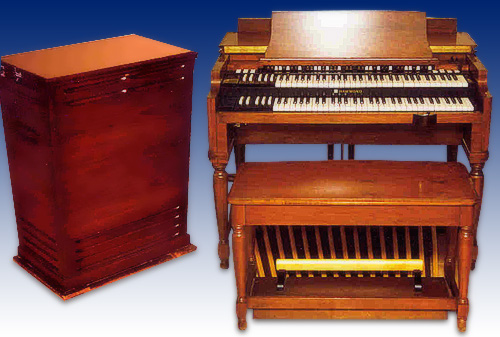
A hammond organ, one of the earliest types of synthesizers
Most synthesizers use a piano keyboard as a controller. The synth itself sometimes does not come with a keyboard attachment, but instead must have one connected externally. This may seem like a burden, but this usually means that a musician can attach any sort of controller he wants to his synth, making it much more flexible and easy to play.

Other synth controllers, also known as MIDI controllers, can come in many different shapes and sizes. For example, a MIDI controller can look like a piano keyboard, or a flute, or it can even be a guitar.

A MIDI guitar
Synthesizers used to be exclusively hardware devices, but these days a software synthesizer can be just as good as the hardware.

Synthesizer Program


A synthesizer program is what you typically want if you don't have enough space or possibly want more flexibility than a hardware synth. Many electronic composers never acquire a hardware synth, but still make great music with software.
A screenshot of one of thousands of synthesizer programs
Most of these programs require a sort of host program, or a piece of software that can sequence MIDI notes that will be processed through the software synth. Most DAWs are also containers for soft synths. Other ways to play soft synths exist, but a DAW will allow you to easily compose and rearrange notes onto a "piano roll."

Like hardware synths, a synthesizer program can come in any number of configurations. What's great about these programs is that they can be controlled by the same MIDI controllers that hardware synths can, giving you a multitude of ways to play your synth software.

Starting Out


So what synthesizer program should you start out with?

There's a post down below this one talking about additive and subtractive synthesis. Subtractive synthesis is the most common type for people to use, so I'm going to recommend a subtractive synthesizer.

A great subtractive synth to start out with is the Subtractor from Reason. Propellerheads, the company that created Reason, allows you to download a demo for their software. Reason is a great DAW but it isn't free. Still, the demo is a great learning tool.

Song Editor Basics: Additive and Subtractive Synthesis

Posted by Unknown | Posted in

Additive and subtractive are two of the most common types of synthesis in use today. There are many other, very useful types of synthesis, but most synthesizers focus one of the two listed here.

Subtractive synthesis is the easiest to create and use, so most synthesizers are subtractive. I'll detail the differences between both types below.

Subtractive Synthesis


Subtractive synthesis is done by carving out a sound; that is, by present a wall of harmonics and taking away from it in order to produce a sound effect. This means starting a sound and then pushing it through filters, oscillators, and an envelope (like the ADSR envelope) in order to change it. The raw sound goes through all these filters and comes out "carved" into something new.

Subtractive synthesizers were originally developed in order to replace real instruments, but eventually became their own class of instrument. A potentially infinite number of sounds can be created with subtractive synthesis.

Additive Synthesis


This type of synthesis is trying to do the same thing as subtractive synthesis, but from a different standpoint. Instead of carving out a sound, you create it piece by piece, usually through the use of multiple sine waves. These sine waves put together can form any other type of waveform.

Harmonic structures are added together in order to form new shapes and sounds.

This doesn't change much in the long run, but some people might prefer additive synthesis since it gives direct control over the harmonics. Still, a square wave is going to sound the same in both types of synthesis.

Bonus: Other Types of Synthesis


Here's a small list of other kinds of synthesis you might encounter in your song editor:

  • Frequency Modulation (FM)
  • Wavetable
  • Component Modeling
  • Vector
  • Phase Distortion
  • Granular
  • Linear Arithmetic
There may be others, but these are the types you're more likely to encounter on a day-to-day basis.

The best way to learn about these, of course, is to play around with them yourself. Have fun!

Song Editor and Synth Basics: The ADSR Enevelope

Posted by Unknown | Posted in

When you first use a synth, whether it be a software or hardware synth, you might load up a sound and then think, "That's boring!"

Every synthesized sound starts that way. You need to learn to manipulate simple waveforms in order to make them more interesting. This might mean layering them on top of each other, or it might mean adding effects. The best way to start playing with these sounds, however, is to manipulate the ADSR envelope.

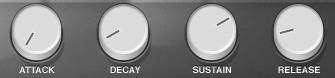
The ADSR dials on a soft synth
ADSR, as you can see, stands for Attack, Decay, Sustain, and Release. They're self-descriptive of what they do to a sound, but can be a little confusing at first. Here's a breakdown of what they do exactly.

Attack


If you hit a note with the attack time down, the sound will start immediately, without any buildup. Raise the attack time and hit the note again, and you'll hear the volume of the note go more slowly upwards. This can have a much bigger impact than you might think. Raise the attack high, and the note will sound very soft and mellow. Take it all the way down and the note will hit immediately.

Basically, the attack time determines how long it takes for the note to reach full volume.

Decay


Decay works with the subsequent sustain level. The decay is how much time it takes to get to the sustained level. The decay itself isn't a volume level, but rather a timed setting for the next volume level.

Sustain


After the attack and decay have gone through, the sustain level is the volume the note will reach while the key is being held down. It will stay at this level until you release the note. This can be 'turned off' by reducing it down to zero, making the note go quiet after it reaches its maximum attack level.

Release


The release determines how long the note will play after you release the key. This can make for an interesting effect if you make the release time high. Raise the release and play a few notes, one by one, and you'll hear a very nice effect as each note rings on for a few seconds.

These four envelope properties can really change the way your music sounds. They're often the first thing to change when you start making sounds for your songs. Nearly every song editor has the ADSR envelope in some form or another.

There's no wrong way to change these settings around, so go nuts whenever you can. You'll eventually find something you like.

Make your own song: 4 quick ideas for learning music

Posted by Unknown | Posted in

Going from wanting to make your own music to actually making it is quite a leap. There are a lot of steps along the way, and usually none of them are set in stone. There are, however, a few things you can do in order to make some quicker progress instead of just researching and learning about music.

Try some of these tips out. By doing these, you might come up with some ideas of your own, further accelerating your progress and allowing you to really get into making your music.

Idea 1: Just write the melody


If you have a whole song in your head, try writing out just the melody first. You get the general idea of your song, and it also puts a good part of the song down for you to work with later. You will more than likely want to change it around as you continue composing, but this is a great way to start out any music.

Idea 2: Learn sheet music


If you want to make your own song, a great way to start is by learning to write sheet music. Hearing the song in your head and being able to write it down before ever touching an instrument is a very powerful feeling. This alone is a great reason to learn sheet music. A lot of people don't have the ability to write down exactly what they hear in their heads, but the ability to actually write that music down gives them that power.

Idea 3: Modify other songs


A lot of DAWs come with sample songs and projects, and these days people are happy to share their files online for others to download. This means you can download a professional composer's music and look at how it was created. This is an amazing way to learn how things are done. It may seem complicated at first, but over time you will understand why the composer did what he did, or how a certain sound was made.

Idea 4: Remix other songs


Remixing songs means starting mostly from scratch, but recreating a song in your own way. This will help teach you about song structure, or it may even help you establish a basic workflow. Music is a derivative art; there's no shame in copying other people's work as you start out. Your own creativity will flourish as a result. Just don't sell your blatant copies.

Hopefully these few tips will help. The only thing you can do now is to get out and start making your own song.

Create your own music: The basics of waveforms

Posted by Unknown | Posted in

Learning music software usually means learning at lease some details about electronic music. Electronic music was originally done on tapes, and started out horribly. Over time, it evolved as synthesizers were created and improved upon. Computers became capable of synthesis as well, and eventually DAWs came into existence. Early DAWs were really limited trackers, but into the 90's and beyond they became much more versatile.

Electronic music is produced by manipulating waveforms. This is a lot easier than it sounds. There are few different types of basic waveforms:

Sine Wave

Sine waves are derived from circles. They're smooth and pleasing to the ear, but aren't used in much more than bass sounds and certain high pitched leads. They can make nice, reverberating sounds with long decays, giving your music a kind of ethereal sound.

Sine waves are a lot of fun to play with. Setting up a 3-deep delay and letting loose with them can be really enjoyable, and might help you come up with some neat ideas.

Triangle Wave

Triangle waves look a little similar to sine waves, but sound significantly different. They're used often for deep bass sounds, or certain high-pitched leads. Using triangle waves in arpeggios or specific leads can be interesting, and the only way to find out if it'll work is to try it out. You might be surprised.
A lot of people feel really limited to using triangle waves as bass sounds only. Try to be a little creative with them if you can.

Square Wave

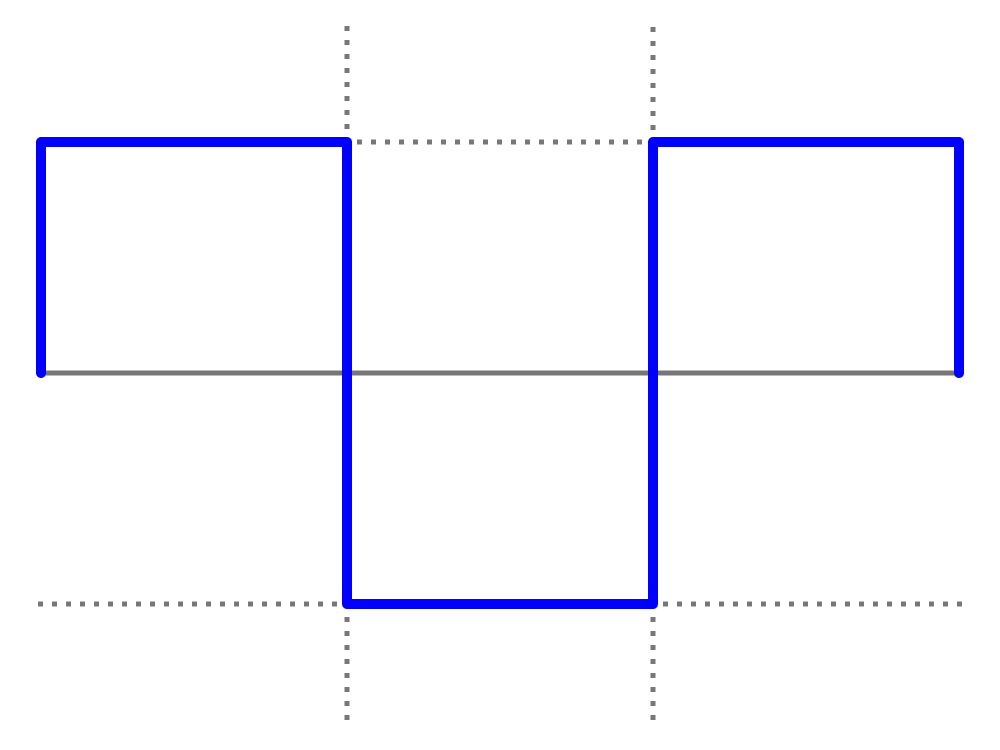
Square waves are usually used as leads. They're very much the most distinct sound to ever come out of electronic music. They can be manipulated by changing the duty cycle (how wide or narrow they are), giving them a very specific sound tailored to each song.
A square bass can sound very interesting, very "crunchy", or harsh. Take note, square waves can often be quite jarring without some sort of accompaniment.

Saw Wave

A saw wave, or sawtooth wave, is also used as a lead more often than not. They have a harsh, almost noisy sound. This can be great in a lot of situations, but caution is still advised. They can also be worse than square waves if used improperly.

These look like a mix between square and triangle waves. They have their own distinct quality, however.

You'll often use all of these in one form or another in your music, usually mixing them together to create something totally unique. It gets a lot more complicated than just raw waveforms, but learning about these is a great way to start.

If you want to learn more about them, just listen! Start up your favorite free music software and load up a synth with each wave. You can create your own music in no time!

Types of music making software

Posted by Unknown | Posted in

A lot of people don't even really know what they want when it comes to music making software. There are actually a few different types, and knowing this should help you get on the right track to getting some free programs.

Music can be made in a variety of ways. Audacity can be used to simply mix live tracks together, for example. Electronic music can be made in a DAW. You can also create a mix between the two in different programs.

Digital Audio Workstation

A DAW stands for Digital Audio Workstation. There are a number of different pieces of software that come in this category. One of the most notable ones is known as FL Studio, a program many people start out with.

FL Studio
FL Studio isn't free, but it's a good example of a standard DAW. Different DAWs have different features and interfaces.

If you want a free alternative to FL Studio, LMMS is a good one.

Note the similarities
DAWs come in flavors such as Dolby Pro Logic, Cubase, and Ableton Live.

Audio Track Editors

Track editors are programs such as audacity. They allow you to add an already-made track and then mix them in any way you like. Power Sound Editor and Music Editor Free are two other good examples of this kind of music program.

MEF in action
These programs won't let you actually make music. You have to either add the tracks to the programs, or record them within the software. This can be really handy for jamming or recording quick ideas.

Trackers

Trackers are old-school. These came out in the early 80's and were really popular on old computers, such as the Commodore 64 and the Amiga. They're a lot of fun to play with, and can make some really professional tunes despite being made for old computers.

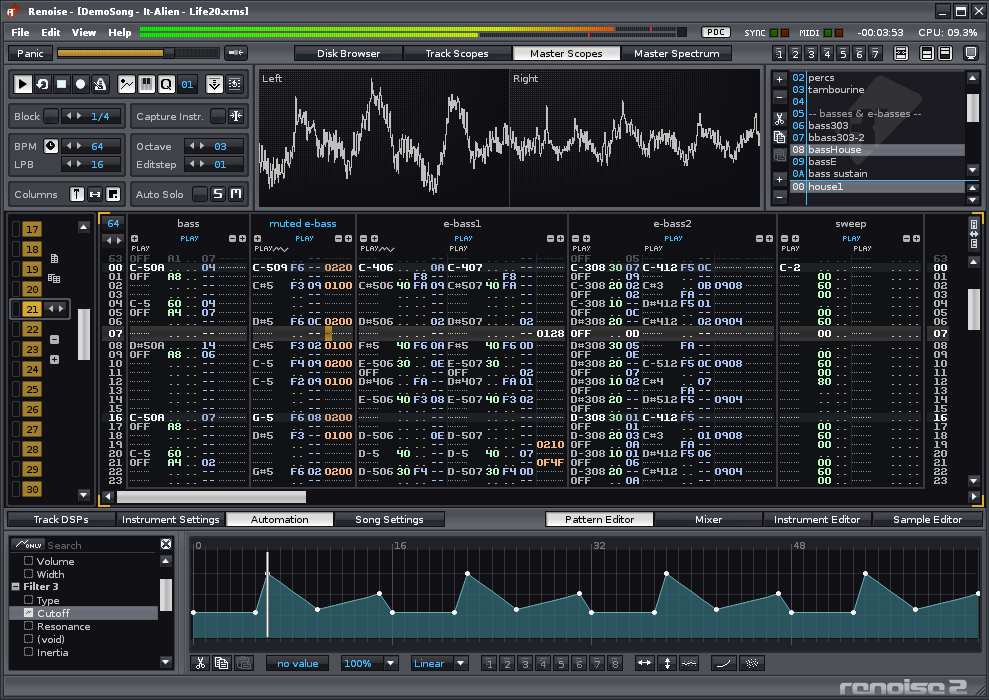
A good modern example of a tracker is Renoise, a kind of DAW made in the old style with new twists. It's highly professional and very versatile.

Renoise: A new take on an old-school concept

Renoise is very, very cool.

These are just a few examples of different program types you can use to make music. Each has its own purpose, and many people end up using multiple programs to create an end product. However you choose to make music is your own personal prerogative. 

Start editing music for free with audacity

Posted by Unknown | Posted in


Audacity is an amazing piece of software. It's a totally free audio editor that lets you create multiple tracks, change parameters per track, and then export your finished project. It's open source, meaning people have compiled the program for both Linux and Mac along with many other operating systems.

I've personally used this software to record music from live instruments. Playing around in audacity is a lot of fun too, making it easy to slow down and speed up tracks, change the volume, and fade sounds in and out. Working with multiple tracks is really easy and feels pretty intuitive for what it is. I'm absolutely thrilled to use this program every day.


In my opinion, this is one of the best pieces of software that has ever been produced for free. It's recommended extremely often for simple audio editing, but professionals use this program for their own purposes as well. People often pick up this software and just start editing away within minutes, making it one of the most versatile things you can add to your collection of editing programs as well.

Audacity can be downloaded from here, for Windows, MacOS, and Linux.